Valxwmods.zip
Open this ZIP and copy its JAR files into the instance Mods folder.
Download Part 1A fresh server report is not available. This does not necessarily mean the server is offline.
Download the right files, follow every illustrated step, and check each one off as you go.
Both downloads start automatically. Allow multiple downloads if the browser asks.
The two servers use different Minecraft versions and loaders.
Open this ZIP and copy its JAR files into the instance Mods folder.
Download Part 1Open this ZIP and copy its JAR files into the same Mods folder as Part 1.
Download Part 2Download Prism Launcher . Open it, choose your language and Java setup, then sign in with the Microsoft account that owns Minecraft Java Edition.
Click Add Instance, choose Minecraft 26.2, and create the instance. Name it Valxw Random so it is easy to distinguish from Seven Sins.
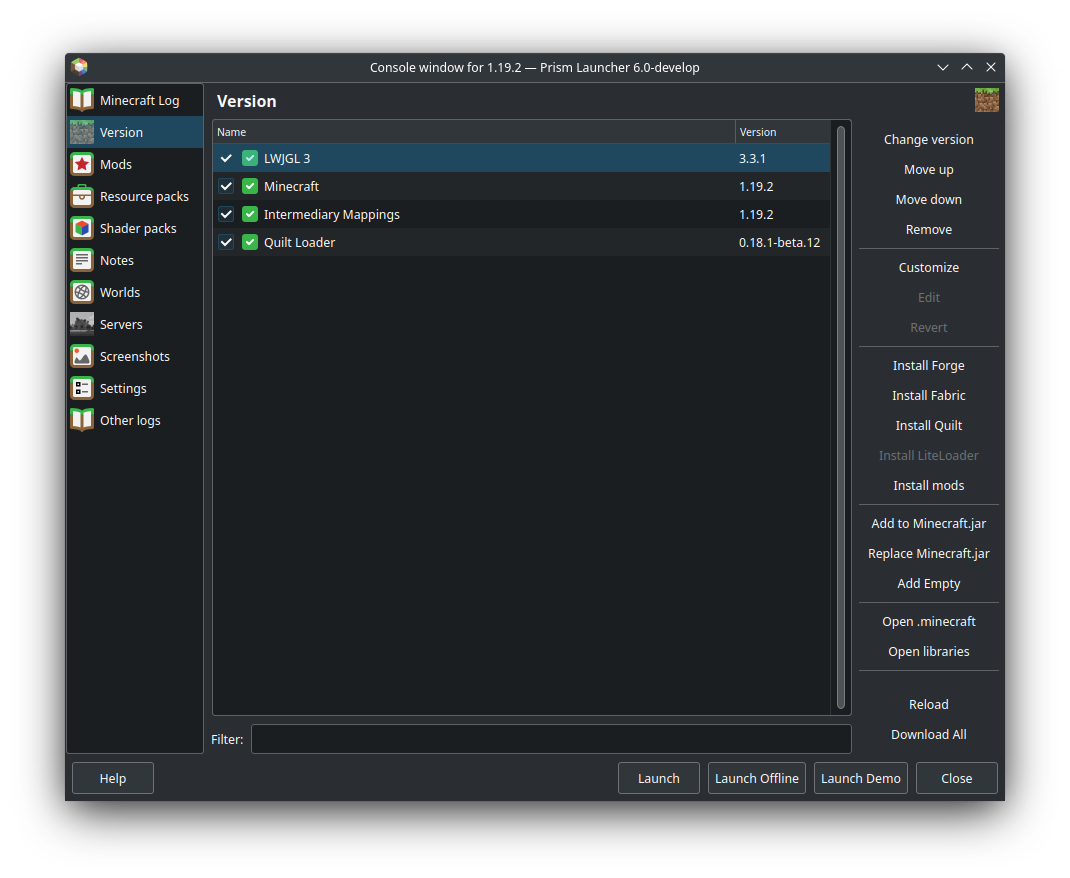
Right-click Valxw Random → Edit → Version. Choose Install Fabric, select loader 0.19.3, and finish the installer. The Version list should then show both Minecraft and Fabric Loader.
Click Download both parts above. Allow multiple downloads if the browser asks. Keep Valxwmods.zip and Valxwmodsp2.zip in Downloads; they contain the mod files for the next step.
Right-click Valxw Random → Edit → Mods → View Folder. Use this button instead of guessing the folder path, because every Prism instance has a separate Mods folder.
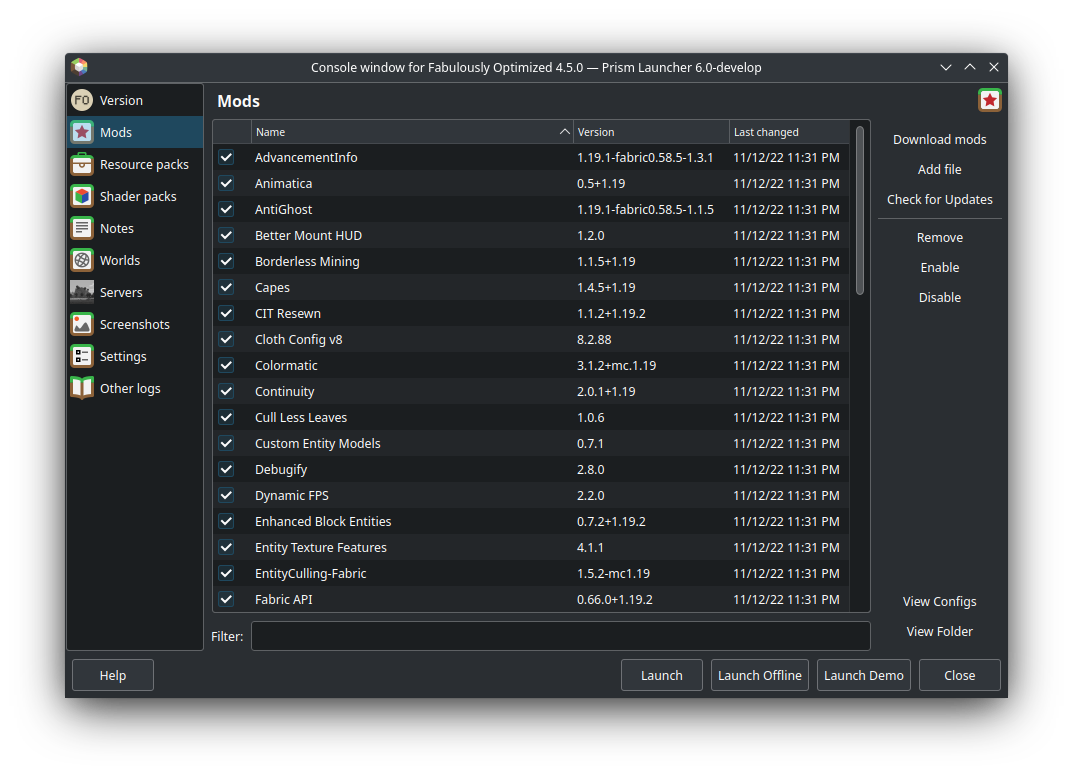
Open each downloaded ZIP. Copy every .jar file directly into the folder Prism opened. Do not copy the ZIP files themselves, and do not place the JARs inside another folder.
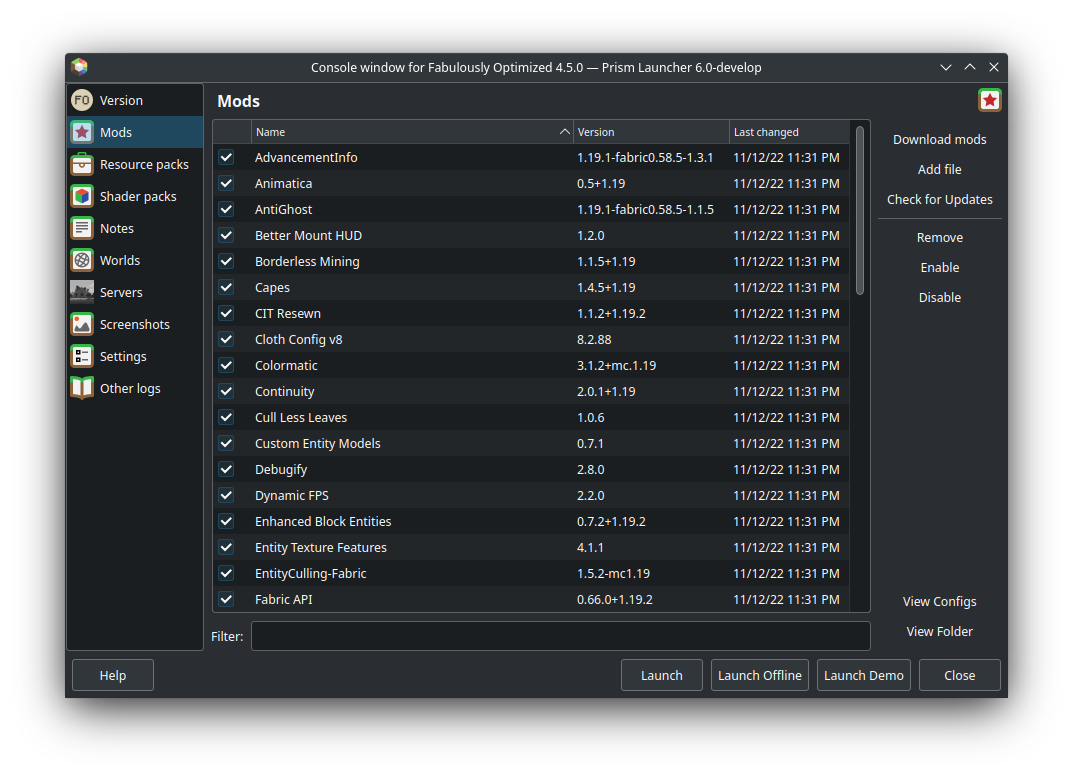
In Prism’s Mods list, make sure the checkboxes are enabled. Keep Fabric API, Xaero’s Minimap, Xaero’s World Map, Simple Voice Chat, and the server support mods enabled. If the same mod appears twice, remove the older version.
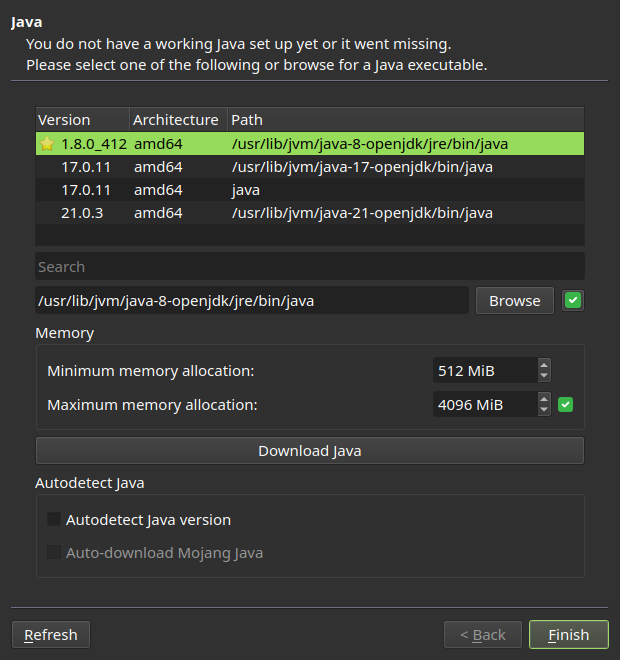
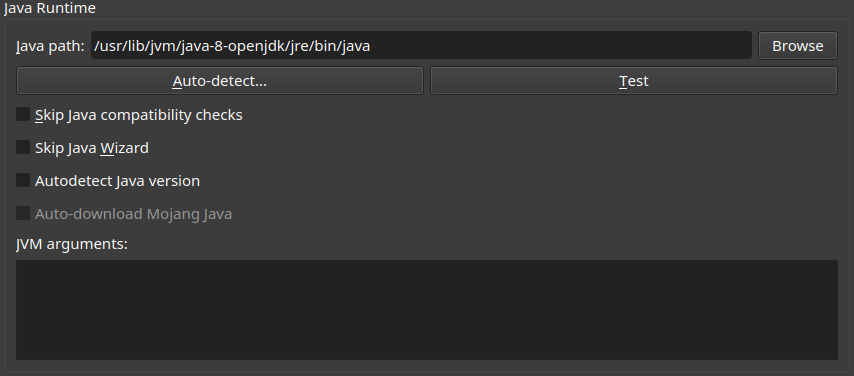
Open Settings → Java. Leave automatic Java management enabled when available. Otherwise, choose Auto-detect and select the Java version Prism recommends for Minecraft 26.2.
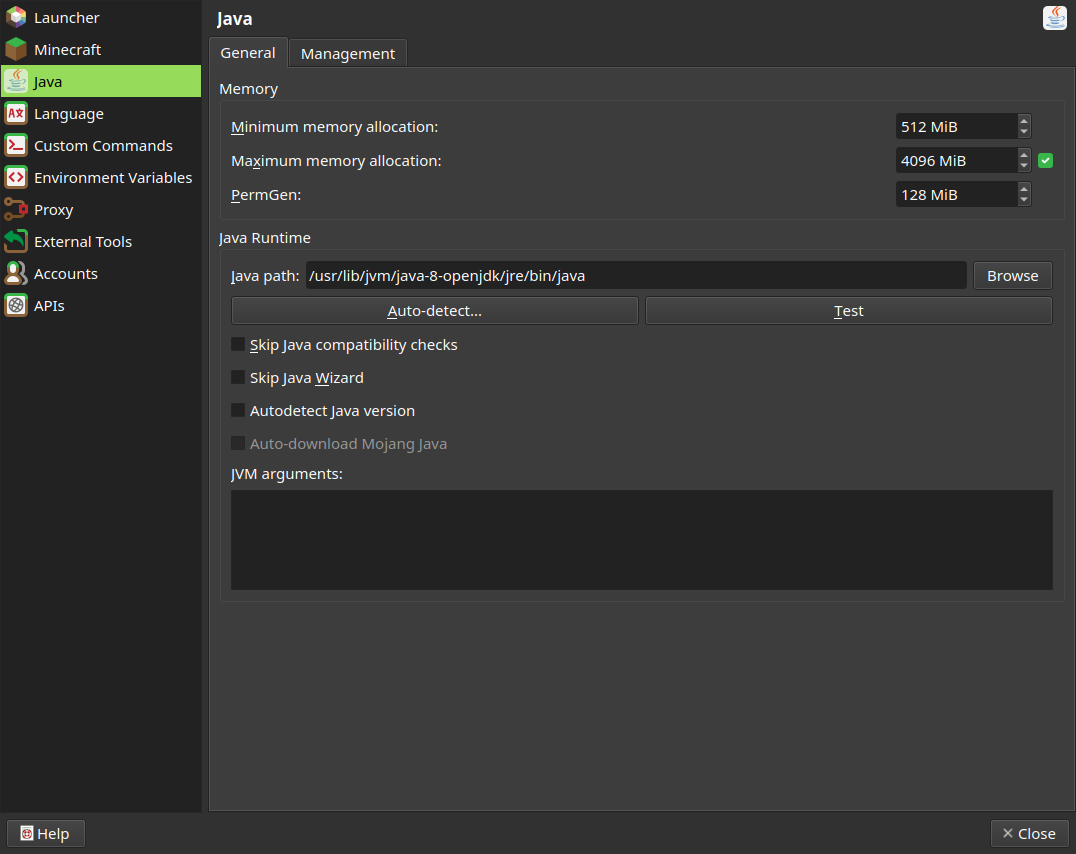
On the Java settings page, set maximum memory to about 6144 MiB on a computer with at least 12 GB of RAM. Use 4096 MiB if the computer has 8 GB.

Press Launch. Reaching the Minecraft title screen means Fabric and the mods loaded. If Prism stops, open the log and find the first line containing requires, missing, or incompatible.
In Minecraft, open Multiplayer → Add Server. Name it Valxw Random, enter mc.valxw.org, save, and join. The DNS record supplies the changing Proton port automatically.
These screenshots follow the installation itself, from Java setup through the Mods folder and memory controls.
01Let Prism locate or download the correct Java runtime.
02Confirm the Minecraft version and install the required mod loader.
03Edit the correct instance, select Mods, then use View Folder.
04The installed JARs must appear directly in Prism’s mod list.
05Use the Java version recommended for the Minecraft version in this guide.
06Use 6144 MiB on a computer with at least 12 GB of RAM.
07Use Test if the instance closes before Minecraft reaches its title screen.
Prism interface screenshots are from the official Prism Launcher Wiki.
Start with the first error in Prism’s log. Most setup failures come from the wrong Minecraft version, wrong loader, nested ZIP files, or duplicate mod versions.
That is expected: these are mod-only downloads. Create the correct instance first, then open both ZIPs and copy their JAR files through Edit → Mods → View Folder.
Confirm both parts were downloaded and every JAR is directly inside minecraft/mods. A JAR inside another folder or ZIP does not load.
Random requires Minecraft 26.2 with Fabric 0.19.3. Seven Sins requires Minecraft 1.20.1 with Forge 47.2.6 and Java 17. Do not mix files between them.
Join the server and move around so chunks can be discovered. Then open Xaero’s settings and confirm cave mode or manual dimension settings are not hiding the surface map.
Try the hub at hub.valxw.org. It accepts both 1.20.1 and 26.2 without requiring a client mod, and its compass shows the available destination addresses.